Don't miss our holiday offer - up to 50% OFF!

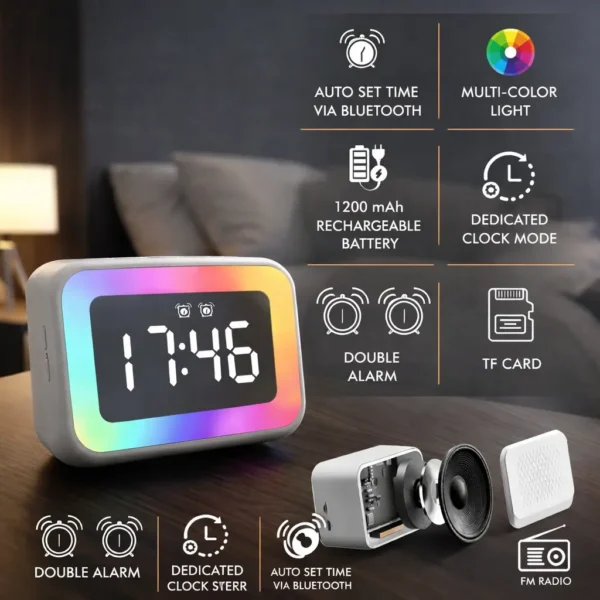
TimeWave Plus RGB Smart Clock Speaker | Mirror Display with Bluetooth, FM & TF Card
Original price was: ₹2,000.00.₹1,889.00Current price is: ₹1,889.00.
A stylish RGB smart clock with Bluetooth speaker, mirror display, and multiple playback options including FM and TF card. Perfect for modern setups and everyday use.
Extra Features
- Premium Quality
- Secure Payments
- Satisfaction Guarantee
- Worldwide Shipping
- Money Back Guarantee
Upgrade your space with the TimeWave Plus, a smart clock speaker designed to combine sound, style, and functionality.
With its vibrant RGB lighting and sleek mirror display, it delivers a modern experience for both entertainment and everyday use.
━━━━━━━━━━━━━━━
🌈 RGB AMBIENT LIGHTING
Dynamic multi-color lighting enhances your room or desk setup.
🪞 MIRROR FINISH DISPLAY
Sleek LED display with a premium reflective surface.
🔊 BUILT-IN BLUETOOTH SPEAKER
Enjoy wireless music with clear and powerful sound.
📻 FM RADIO & TF CARD SUPPORT
Multiple playback options for non-stop entertainment.
🔋 1200 mAh RECHARGEABLE BATTERY
Long-lasting performance for daily use.
⏰ DOUBLE ALARM FUNCTION
Set multiple alarms for better time management.
🔄 AUTO TIME SYNC
Automatically sets time via Bluetooth for convenience.
━━━━━━━━━━━━━━━
🎯 PERFECT FOR:
✔ Bedside tables
✔ Desk setups
✔ Gaming rooms 🎮
✔ Modern homes
✔ Gifting 🎁
━━━━━━━━━━━━━━━
💡 WHY YOU’LL LOVE IT:
✔ Stylish RGB design
✔ Multi-functional device
✔ Entertainment + utility
✔ Perfect for modern setups
━━━━━━━━━━━━━━━
✨ Sound, light, and time — all in one device.
👉 Upgrade your setup today!
Related products
-
SALE 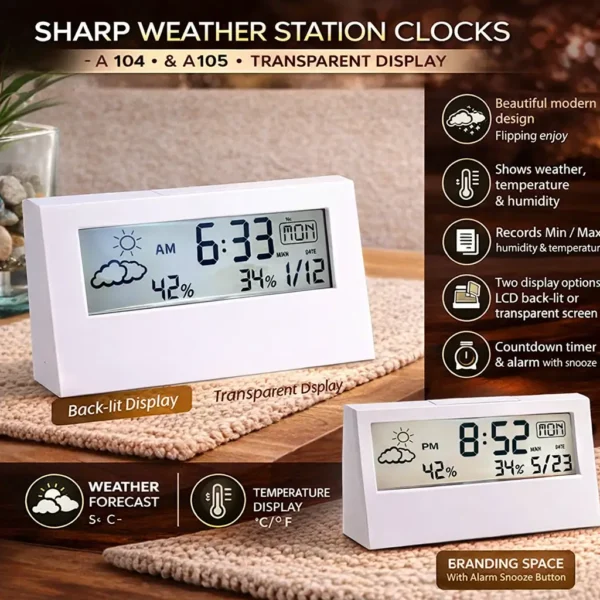
Transparent Display Weather Station Clock | Temperature, Humidity & Forecast with Alarm
Original price was: ₹1,050.00.₹909.00Current price is: ₹909.00. -
SALE 
Digital Desk Clock with Pen Holder | Day & Temperature Display | Multi-Utility Tumbler Organizer
Original price was: ₹1,100.00.₹949.00Current price is: ₹949.00. -
SALE 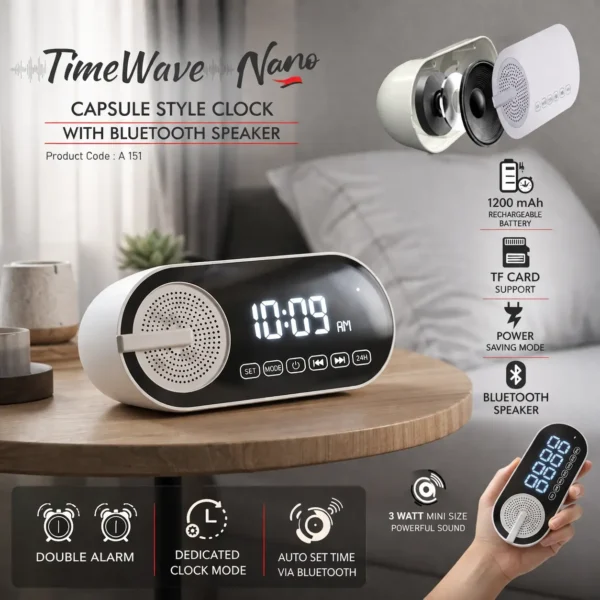
Bluetooth Speaker Alarm Clock with Mirror Display | Capsule Design | FM & TF Card (TimeWave Nano)
Original price was: ₹1,500.00.₹1,389.00Current price is: ₹1,389.00. -
SALE 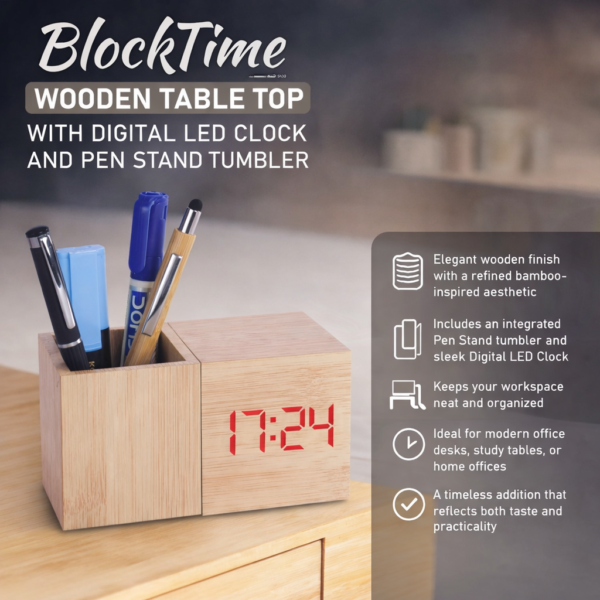
BlockTime Wooden Desk Organizer with LED Clock | Pen Stand & Minimal Table Decor
Original price was: ₹1,800.00.₹1,559.00Current price is: ₹1,559.00.


Reviews
There are no reviews yet.