Don't miss our holiday offer - up to 50% OFF!

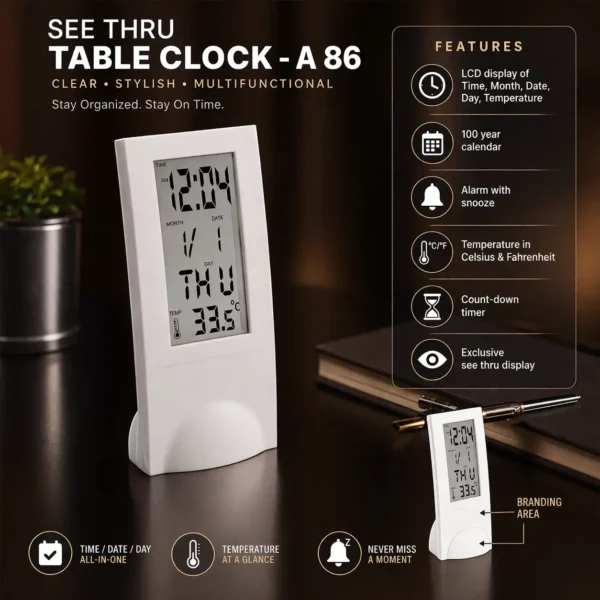
See-Through Digital Table Clock with Alarm, Temperature Display & Calendar – A86
Original price was: ₹1,000.00.₹850.00Current price is: ₹850.00.
Modern transparent digital table clock with time, date, temperature & alarm. Stylish, multifunctional & perfect for desk or bedroom use.
Extra Features
- Premium Quality
- Secure Payments
- Satisfaction Guarantee
- Worldwide Shipping
- Money Back Guarantee
Upgrade your workspace with this sleek and modern See-Through Digital Table Clock designed for clarity, style, and functionality.
Its transparent design adds a premium aesthetic while giving you all essential information at a glance.
━━━━━━━━━━━━━━━
⏰ ALL-IN-ONE DISPLAY
View time, date, day, and month clearly on a large LCD screen.
🌡️ TEMPERATURE AT A GLANCE
Monitor room temperature in Celsius & Fahrenheit anytime.
🔔 ALARM WITH SNOOZE
Never miss important moments with built-in alarm and snooze feature.
📅 100-YEAR CALENDAR
Reliable long-term calendar system for everyday planning.
⏳ COUNTDOWN TIMER
Perfect for study sessions, office work, or cooking.
👁️ SEE-THROUGH DESIGN
Unique transparent look that enhances your desk setup.
━━━━━━━━━━━━━━━
🎯 PERFECT FOR:
✔ Office desk
✔ Study table
✔ Bedroom
✔ Minimalist setups
✔ Gifting
━━━━━━━━━━━━━━━
💡 WHY YOU’LL LOVE IT:
✔ Stylish & modern transparent design
✔ Multi-functional utility
✔ Easy-to-read display
✔ Compact & space-saving
━━━━━━━━━━━━━━━
✨ Stay organized. Stay on time. Stay stylish.
👉 Limited stock available — order now!
Related products
-
SALE 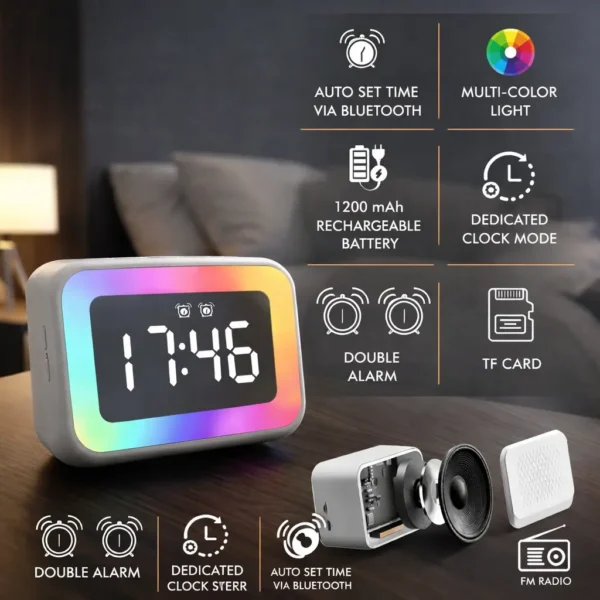
TimeWave Plus RGB Smart Clock Speaker | Mirror Display with Bluetooth, FM & TF Card
Original price was: ₹2,000.00.₹1,889.00Current price is: ₹1,889.00. -
SALE 
Digital Desk Clock with Pen Holder | Day & Temperature Display | Multi-Utility Tumbler Organizer
Original price was: ₹1,100.00.₹949.00Current price is: ₹949.00. -
SALE 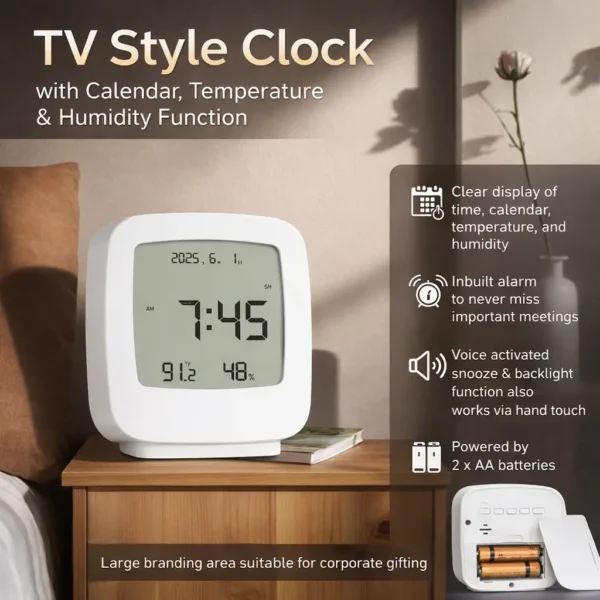
ScreenTime TV Style Digital Clock | Calendar, Temperature & Humidity Display with Alarm
Original price was: ₹1,100.00.₹989.00Current price is: ₹989.00. -
SALE 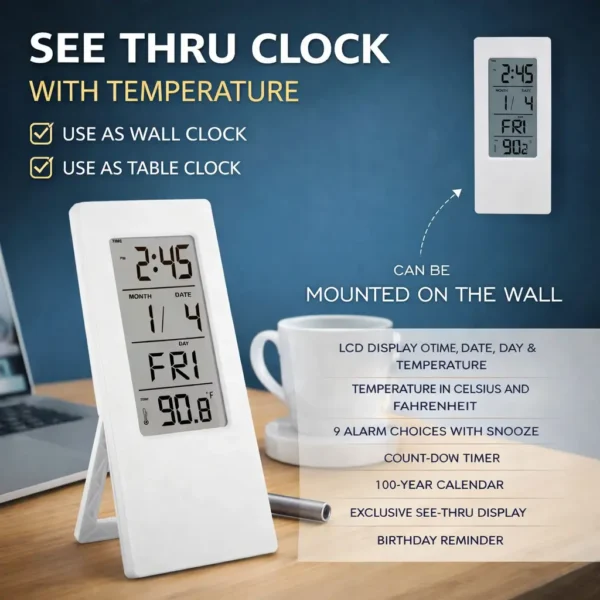
See-Through Digital Clock with Temperature | Wall & Table Mount | Multi-Function Display
Original price was: ₹999.00.₹849.00Current price is: ₹849.00.


Reviews
There are no reviews yet.