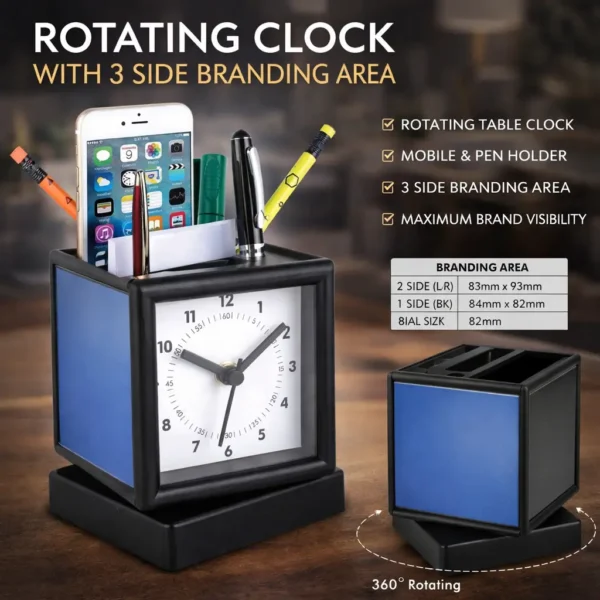
Customized Mobile Stands with Logo Branding | Foldable Premium Desk Stand

Customized mobile stand with logo branding for corporate gifting. Foldable premium phone stand perfect for office desks, work from home setups, giveaways, and promotional branding.

Guaranteed Safe Checkout
Extra Features
  • Premium Quality
  • Secure Payments
  • Satisfaction Guarantee
  • Worldwide Shipping
  • Money Back Guarantee

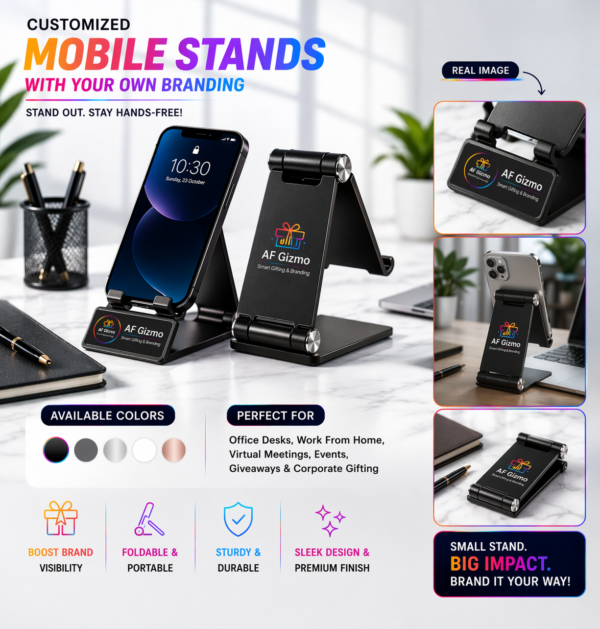
Make your brand part of everyday productivity with our Customized Mobile Stands β€” a sleek, practical, and high-visibility corporate gifting solution.

Designed for modern workspaces, these stands keep devices secure while ensuring your brand stays front and center during calls, meetings, and daily use.

━━━━━━━━━━━━━━━

🎯 KEY FEATURES

πŸ“± Universal Mobile Compatibility
Supports most smartphones in portrait & landscape mode.

πŸ” Foldable & Portable Design
Compact and travel-friendly β€” perfect for work anywhere.

πŸ› οΈ Sturdy & Durable Build
Strong metal body with stable grip for long-term use.

🎨 Custom Branding Area
Add your logo for maximum visibility and recall.

✨ Premium Finish
Minimal, modern design that fits every professional setup.

━━━━━━━━━━━━━━━

πŸ’Ό PERFECT FOR

βœ” Office desks & workstations
βœ” Work from home setups
βœ” Virtual meetings & video calls
βœ” Corporate gifting & giveaways
βœ” Events, expos & promotions

━━━━━━━━━━━━━━━

πŸš€ WHY IT WORKS FOR YOUR BRAND

βœ” Daily usage = constant brand exposure
βœ” Practical product = high retention value
βœ” Clean, premium look = boosts brand perception
βœ” Compact design = fits everywhere

━━━━━━━━━━━━━━━

🎨 AVAILABLE COLORS
Black β€’ Grey β€’ Silver β€’ White β€’ Rose Gold

━━━━━━━━━━━━━━━

πŸ“Œ Small stand. Big impact. Brand it your way.

Reviews

There are no reviews yet.

Be the first to review “Customized Mobile Stands with Logo Branding | Foldable Premium Desk Stand”
Review now to get coupon!

Your email address will not be published. Required fields are marked *

document.addEventListener("DOMContentLoaded", function () { const btn = document.getElementById("read-more-btn"); const moreText = document.getElementById("more-text"); btn.addEventListener("click", function (e) { e.preventDefault(); if (moreText.style.display === "none") { moreText.style.display = "block"; btn.innerText = " Read less"; } else { moreText.style.display = "none"; btn.innerText = " Read more"; } }); });
0
× Add a menu in "WP Dashboard->Appearance->Menus" and select Display location "WP Bottom Menu"
Fahad

Fahad

Typically replies within an hour

I will be back soon

Fahad
Hey there πŸ‘‹
It’s your friend Fahad. How can I help you?
WhatsApp